

What you’ll do
Run our Literacy evaluators on some text to evaluate it for a given grade level.What you’ll need
- Text you want to evaluate
- Grade level of the intended audience
- API keys required by the evaluators you want to use Not required for Evaluators Playground
Required API keys
By default, each evaluator uses a provider and model that we have tested for reliability for that task. As a result, different evaluators require different API keys.Steps
- Evaluators Playground
- SDK
- Python notebooks
The Evaluators Playground ↗ is the easiest way to see our evaluators in action.The Evaluators Playground is primarily a demo. Check out the SDK or Python notebooks when implementing evaluators into your automated processes.
1
Select target grade level
Choose the grade level of your intended audience.
2
Provide your text
Copy and paste the content you want to evaluate.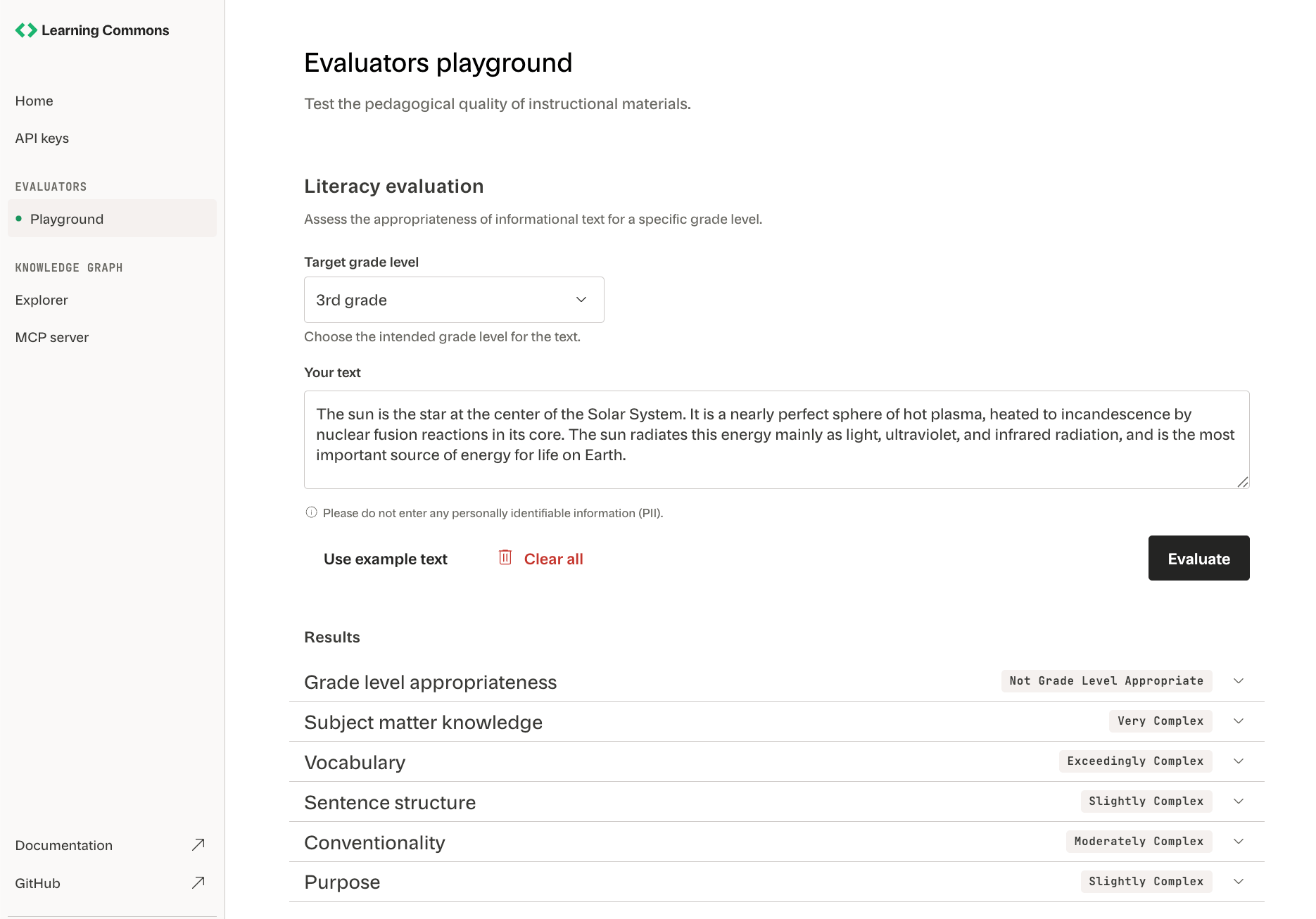
3
Run the evaluators
Click Evaluate to run our Literacy evaluators on your text.
4
View results
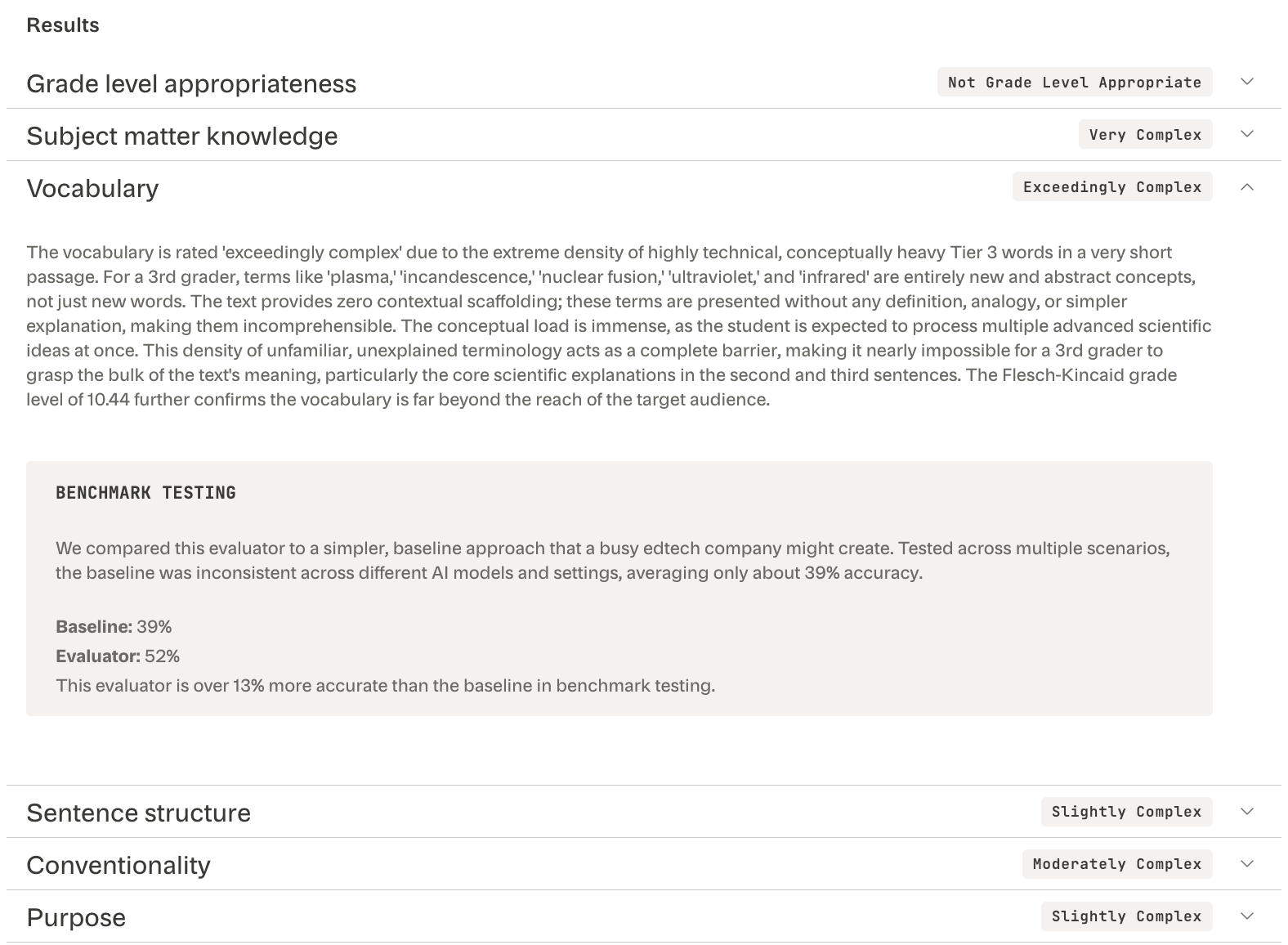
Expand each evaluator’s results to see its:
- Text complexity score (e.g., “Exceedingly complex”)
- Reasoning (e.g., “conceptually heavy Tier 3 words”)
-
Performance relative to a minimal baseline prompt (e.g., “13% more accurate”)


Related topics
Core concepts
Learn how dimensions, rubrics, and accuracy shape evaluator results.
SDK API Reference
Configure evaluators, interpret outputs, and handle errors in your project.